
(929) 398-6099 Call Now
Notarize Your USPS PS-1583 Online — Fast & Legally Accepted
Outside the United States and need your PS-1583 Application for Delivery of Mail Through an Agent notarized? Book a secure Remote Online Notarization session and get your notarized form delivered immediately after signing.
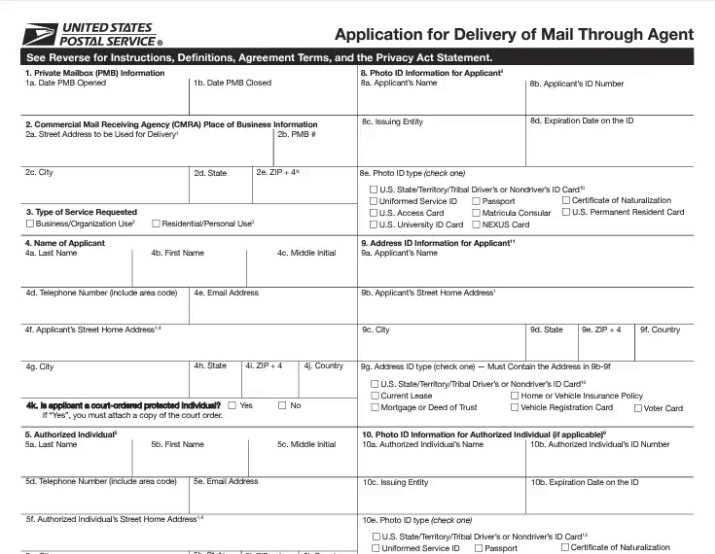
Download the official PS-1583 and do not sign it in advance — you’ll sign live with the notary.
📄 Download PS-1583 PDFHow it works
What you do
- Download PS-1583 (PDF above).
- Complete the form but do not sign.
- Book your preferred time and complete checkout.
- Upload your PS-1583 to the meeting page and complete ID verification.
What we do
- Host a secure live video notarization session (RON).
- Verify identity and complete the required notarization workflow.
- Deliver your notarized packet immediately after signing.
Pricing
$75 per notarization stamp for international signers (outside the U.S.). Pricing is per stamp; if you need multiple stamps, select the stamp count in the form.
Payment is made at the time of booking to confirm the appointment.
FAQ
Can I use this if I’m currently in the United States?
No — this page is for international signers (outside the U.S.) only. Use the domestic notarization pages for U.S.-based signers.
Should I sign PS-1583 before my appointment?
No. You will sign live during the notarization session.
What ID do I need?
Typically a valid passport is used for international ID verification. Your meeting page will guide you through verification.
How do I send my PS-1583 to you?
After checkout, upload the document directly on your meeting page (preferred). Email is only used if there’s an upload issue.